Maverick
GPS off-road navigation app for Android
Outroad navigation
Maverick automatically caches all your maps for offline use so that you can access them even without an Internet connection. This app is great for hiking, boating, geocaching, and other outdoor activities.
Multiple maps
Including Bing, Yandex, Open Street Maps, OSM Cycle, OSM Public Transport, Multimap (UK), OutdoorActive (Germany, Austria, South Tyrol), Cykloatlas, HikeBikeMap (Germany), Open Piste Map, NearMap (Australia), and many others.
Offline maps
You can use Maverick or Mobile Atlas Creator to download map tiles and MAPC2MAPC to manipulate maps and convert them between different platforms and software.
Go caching!
Create custom geocache queries on geocaching.com. Queries that contain 500 geocaches or less can be delivered as an email attachment.
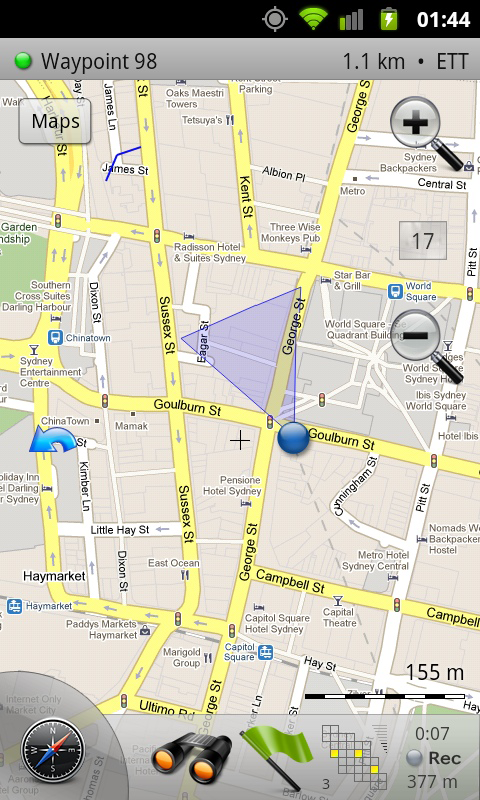
Share your location
Send your address, GPS coordinates, and a link to Google Maps or even a map image to indicate where you are.
Save places you visit
Waypoints are stored in a KML file that can be viewed and edited in Google Earth.
Navigate easily
A built-in radar shows the direction, distance, and estimated time to a point of interest.
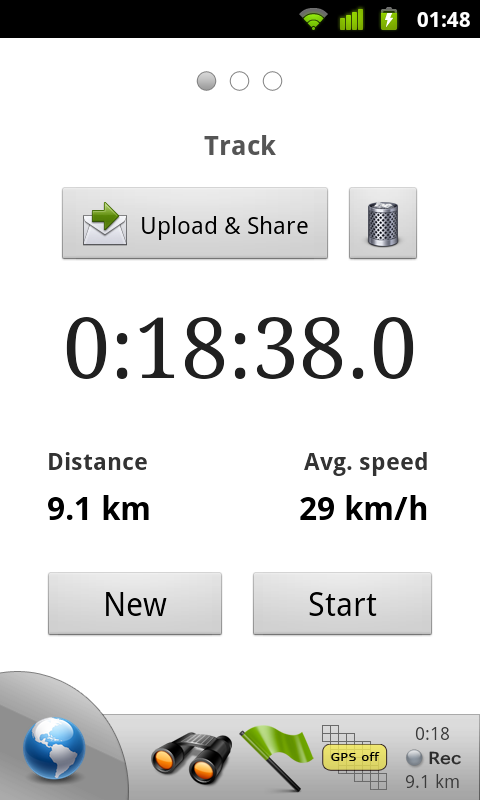
Record GPS tracks
Export tracks as GPX files that can be viewed in Google Earth and other programs.
Upload tracks to GPSies.com
You can use GPSies.com to view and download tracks that have been recorded by a GPS device. Please note that a free account is required for uploading.
Trip computer
See your speed, altitude, pitch, etc.
Testimonials & Reviews
If you are looking for a nice and simple Android app, but with all the best features to do some GPS tracking, Maverick is a good choice.
Brilliant for geocaching.