Microsoft Windows
Code Sector Web
- blog.codesector.com Official blog with product news, updates and events
- droidsector.com Android devices database: wiki, specs, reviews, links
- soundmaven.com Music aggregator of the latest news, videos, photos, bios, reviews and more
SpeedView
for Google Android
SpeedView is an advanced speedometer application that uses the phone's built-in GPS system to show your current maximum and average speed, as well as the direction, total distance, and time traveled. Suitable for running, car driving, biking, or hiking.
- High accuracy GPS-based speedometer that is more accurate than the one in your car.
- Linear compass Shows your current direction of travel. A compass mode is also available.
- HUD view Mirrors the numbers so you can place your phone on your car's dashboard and see the speed reflected in the front glass. You can check out this video to see how it works.
- Speed graph Displays a graph chart covering the last several minutes.
- Display units Supports units such as miles, kilometers, and nautical miles.
- Speed warning You can set the speed limits for three different types of roads so that when you go too fast a visual alert or sound will notify you.
- GPX track export Enables you to save your current track to the SD card or email it to someone. The GPX format is supported by Google Earth and many other programs.
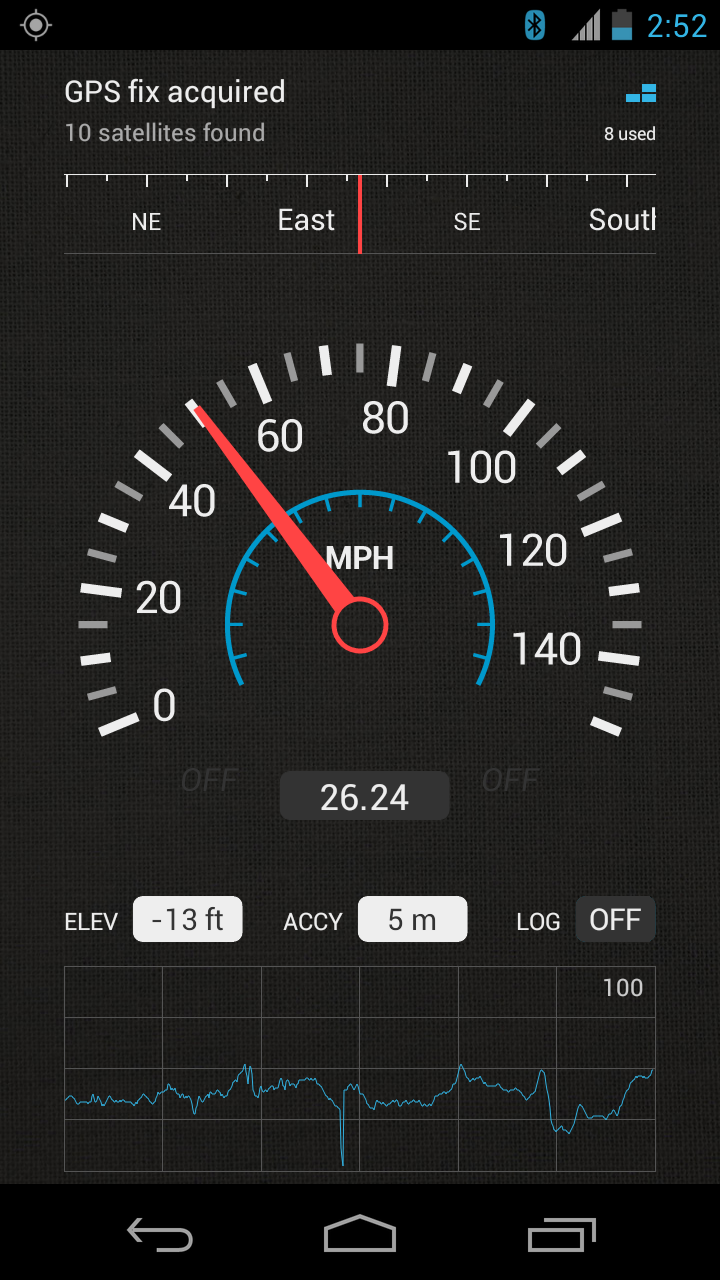
- Background mode You can minimize the program and keep it running in the background. It will work as usual and even notify you when you exceed the speed limit.
Please note that the accuracy of the speed readings depends on the GPS reception quality, which can be affected by a multitude of error-introducing factors (more on that below).
In addition, note that this application is not optimized to run on 7-inch tablets or devices with uncommon screen resolutions. You will be able to run and use it, but it may not display properly. If you have any questions or comments, feel free to post them on our blog.
Download information
The best way to download or purchase one of our Android applications is directly from the Market app pre-installed on your device. Or, alternatively, you can do it from the Android Market website using the buttons provided below. If, for some reason, you are having problems downloading this application from the Market app and from the Android Market website, you can obtain an APK file with the latest free version on our Downloads page.*
Reviews
"This is a very easy to use app with a very intuitive UI. Try the HUD at night and be amazed by its functionality." Android Headlines
"Solid, slick and dependable. Made a believer out of me." Android Rundown
Testimonials
"This speedometer blows my real speedometer out of the water. If my phone has unlimited battery life, I would use this permanently. It keeps track of your speeds history and its a giant dial on your screen. Worked really well for me and is a great idea if your speedometer is broken."